The voice-first
AI starter kit.
A 60-minute, loose-format class for Azione members. Built around what 27 of you told us in the pre-class survey. Recorded, with about 30 minutes of open Q&A after.
What the room told us before today.
27 of the 56 of you on the attendee list filled out the pre-class survey. The class arc below is built directly off your top requests.
The five topics this room asked for — in order
1. AI for project management (70%) · 2. Building internal tools (67%) · 3. Automating repetitive tasks (59%) · 4. AI agents & "virtual employees" (48%) · 5. Better prompts (41%). The action-oriented stuff dominates — you don't want a lecture on what AI is, you want it doing operational work. We took that seriously.
Five blocks. Lots of room for questions.
We're not reading slides. Each block is a quick walkthrough plus open conversation. Bring your actual blockers — we'll work them in real time.
Capture without typing
The two products that change the game in week one. Plaud for in-room recordings and job-site walks. Wispr Flow for dictation everywhere — emails, texts, Claude prompts. Stop typing into AI; start talking to it.
Never take notes again
Fathom on calls, Otter or Granola for in-person. Action items, summaries, search across every conversation you've ever had. Pull up a quote from six months ago. Walk into prep meetings already briefed.
Your technician's pocket expert
Take a picture of an unfamiliar product. Ask if it has the port you need. Voice-describe a troubleshooting issue and ask Claude to walk through the manual. Minutes-to-hours saved per tech per day — the math on a paid plan pays for itself in a week.
Build it before you buy it
The Vendor Communication Hub story — one Saturday afternoon to ship a tool that saves the whole membership real time. Lovable and Claude Projects make this accessible. We'll show what gets built first vs. what to avoid.
Your turn
We expect this to be the longest part. Bring the question you almost asked in the survey but didn't. Bring the workflow that's eating your week. Robert and Kyle are in the room to chime in with how they've solved similar things at The Cave Group and Global Wave Integration.
The tools we'll touch today.
Not a complete list. The ones you'll see Adam open and use during the class.
Plaud
plaud.aiPocket recorder for meetings and site walks. Pairs with their app for transcripts and summaries.
Voice dictationWispr Flow
wisprflow.aiVoice-to-text dictation anywhere on your computer or phone. The fastest way to talk to AI.
Meeting captureFathom
fathom.videoJoins your Zoom and Teams calls. Auto-transcribes, summarizes, and surfaces action items.
Meeting captureOtter
otter.aiStrong for in-person meetings. Great web app for searching across every transcript you've recorded.
Meeting captureGranola
granola.aiMacnative notes app that listens to your meeting and turns your shorthand into a structured summary.
AI · main driverClaude
claude.aiThe model the committee uses most. Vision, voice mode, Projects, and Skills make it the strongest pick for our industry.
AI · alternateChatGPT
chat.openai.comThe 80% answer for most members already. Pick one and go deep, but don't ignore Claude for higher-stakes work.
Build appsLovable
lovable.devBuild a real web app by describing what you want. The fastest path from idea to working internal tool.
Live exampleThe Azione AI Survey
aisurvey.bostonautomations.comAdam's working example. Survey → live results page → live PDF generator → admin dashboard. All built in a few days.
What this room actually wrote.
Five quotes pulled verbatim from your pre-class survey. We'll work all five of these in during the class.
There is so much noise in the AI space. I want to hear about real, proven, actionable results.
Using AI for design and quoting would be great!
I would like to be able to use AI to link all my software together and or find a Guru to do it for us…
Not sure how to integrate into our processes.
My team is dragging their feet on getting engaged with AI.
I see the biggest opportunity in building “the perfect app” to run the business: intake, time cards, project management, client portal … interfacing with other tools.
Resources for after the class.
The setup guide is the single biggest leverage point we hand out. Use it tonight if you can.
Three people in the room with you.
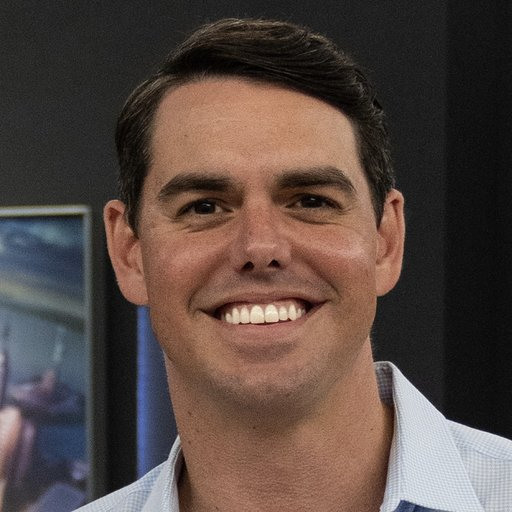
Adam leads. Robert and Kyle are in the background — chiming in with how they've solved the questions you ask, from their own businesses.


Didn't take the pre-class survey?
One-click link — the password is built in. Takes about three minutes and your answers shape the next class.